59 Config-drift & persistence sentinel (incl. mail-routing watch)
draft
A scheduled job snapshots the settings an attacker changes in order to persist — admin role assignments, domain-wide delegation clients and their scopes, the OAuth allowlist, Gmail routing rules, mail hosts and compliance rules, forwarding, 2SV enforcement — and diffs each run against the last approved baseline. A silent inbound or outbound routing rule is the classic post-compromise persistence, and it is invisible to the user whose mail it copies.
Caveats
Setup steps
-
- Cadence
hourly for routing/DWD, daily for the rest
- open ↗
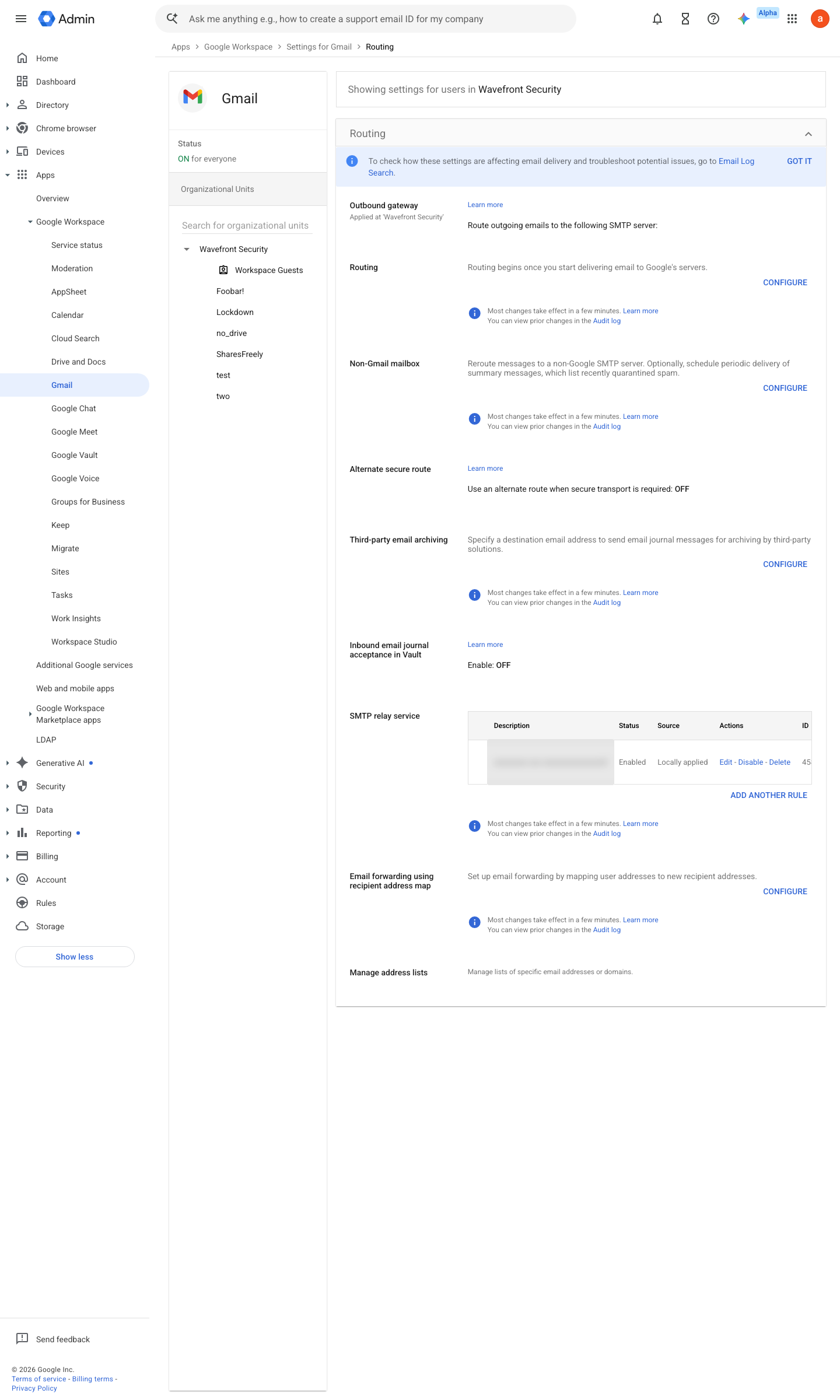
https://admin.google.com/ac/apps/gmail/routing · captured 2026-07-15
Apps › Google Workspace › Gmail › RoutingDiff on any add/change to routing, hosts, or compliance rulesAdd Gmail routing settings ↗ Add mail servers for Gmail email routing ↗
- open ↗
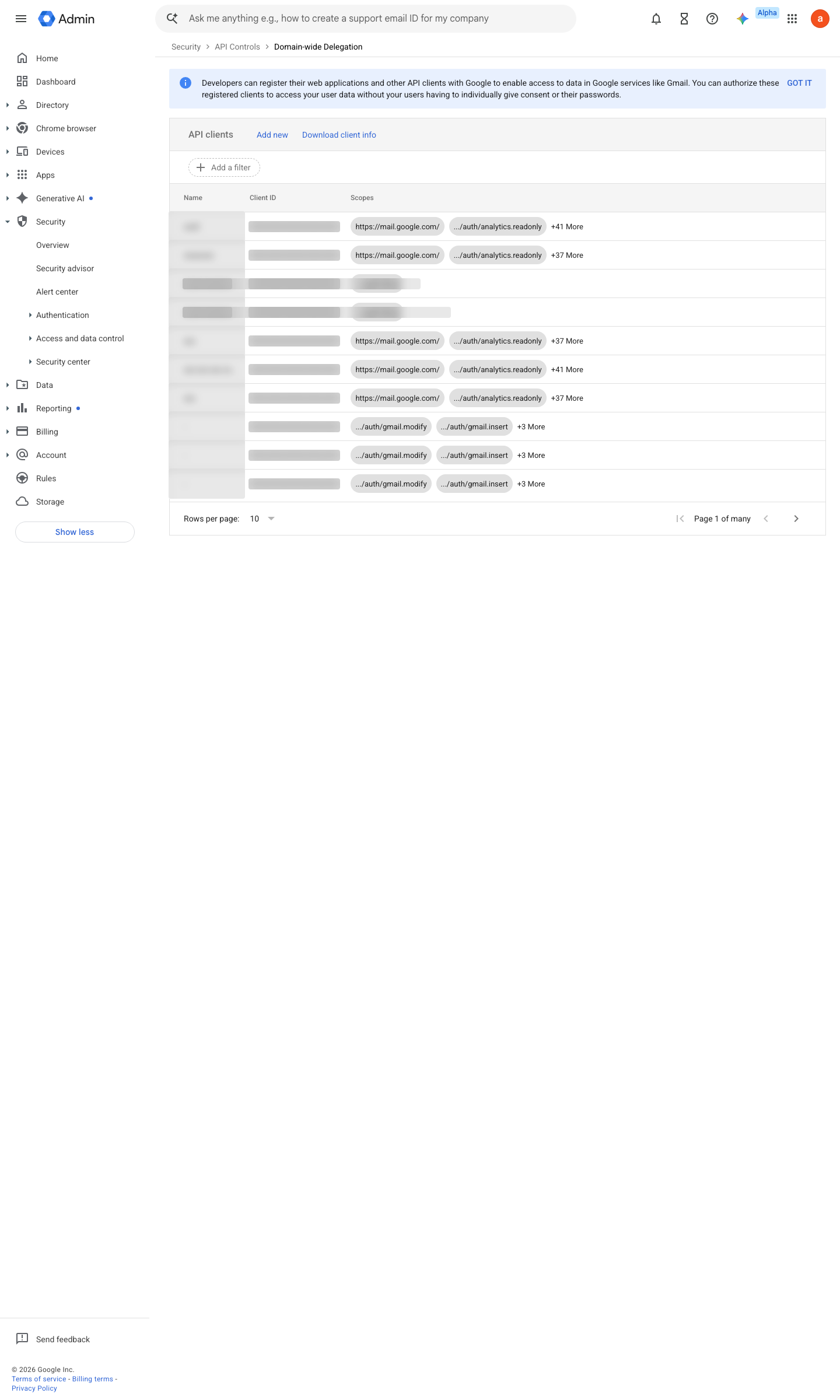
https://admin.google.com/ac/owl/domainwidedelegation · captured 2026-07-15
Security › Access and data control › API controls › Manage Domain Wide Delegation- Any new client id or scope
High severity
-
- Unapproved delta
page- approved delta
auto-commit new baseline
Ongoing maintenance
- automatable: script Per schedule: the sentinel run itself.
- automatable: AI agent Per run: read the diff and separate deliberate change from drift or persistence.
How to verify
-
Check the sentinel’s last run is within its schedule, then change a benign monitored setting and confirm the next run flags it. Revert the setting.
Further screens
Screen 1 of 1: Account > Admin roles
open ↗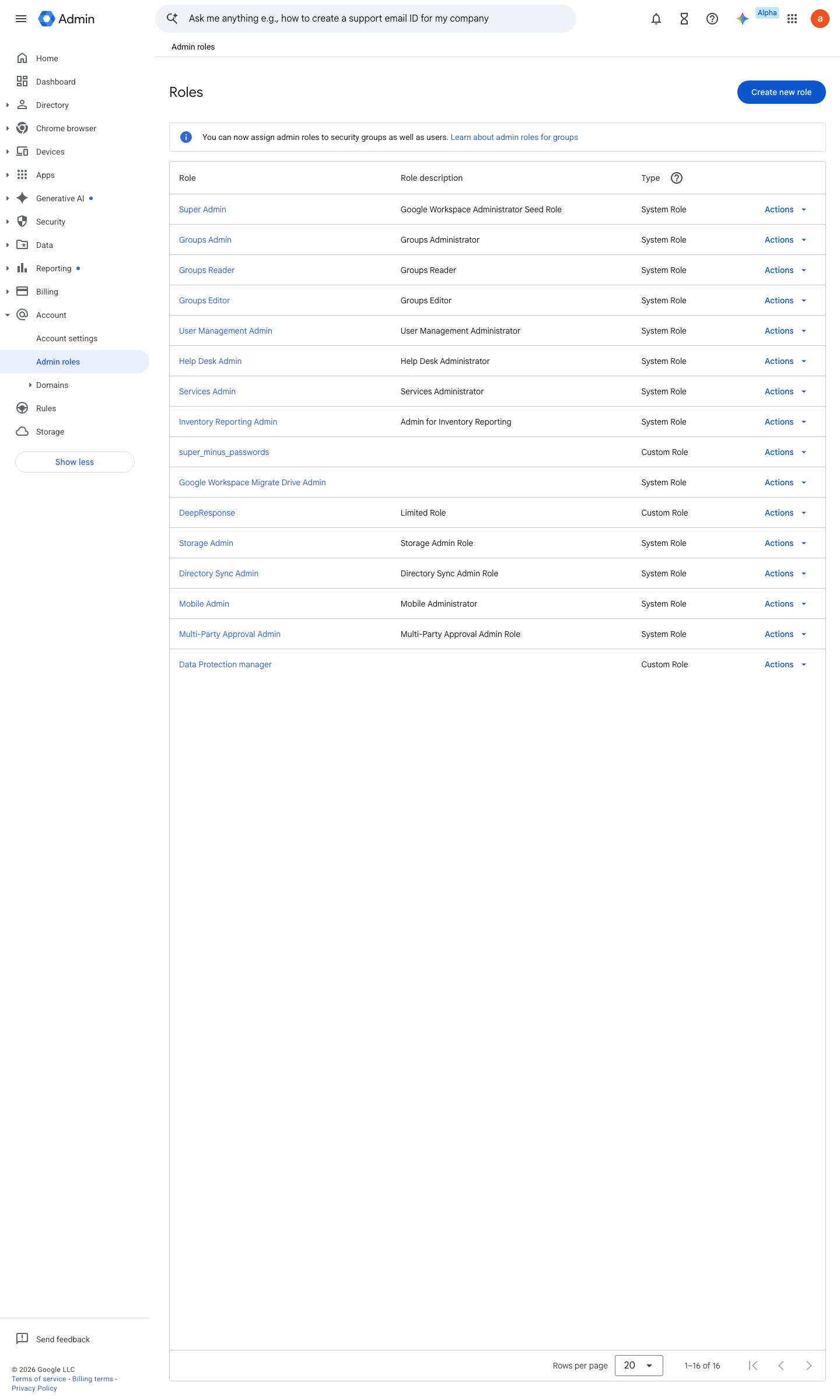
draft v0.1.2 Detect policy #27 · #12, #33, #34 ↗