17 Disable user auto-forwarding & mailbox delegation
After a mailbox compromise the attacker's next move is persistence that survives a password reset: an auto-forward to an external address, a mailbox delegate, or — with admin rights — a routing rule that quietly BCCs mail off-tenant. Auto-forwarding is the single most common quiet-exfiltration and business-email-compromise mechanism. This control turns off user forwarding and delegation, confirms POP/IMAP and Google Workspace Sync are still off on the same screen (№33), and checks the admin-plane Routing table for rules nobody authorised.
Caveats
- Routing rules are admin-plane, invisible to the user, and survive password resets1
Setup steps
-
Apps › Google Workspace › Gmail › End User Access › Automatic forwardingAllow users to automatically forward email to another address = Off (unchecked)
-
Apps › Google Workspace › Gmail › User settings › Mail delegationLet users delegate access to their mailbox to other users in the domain = Off; if required: On, with 'Allow users to grant their mailbox access to a Google group' = Off and sender information set to 'Show the account owner and the delegate who sent the email'
- open ↗
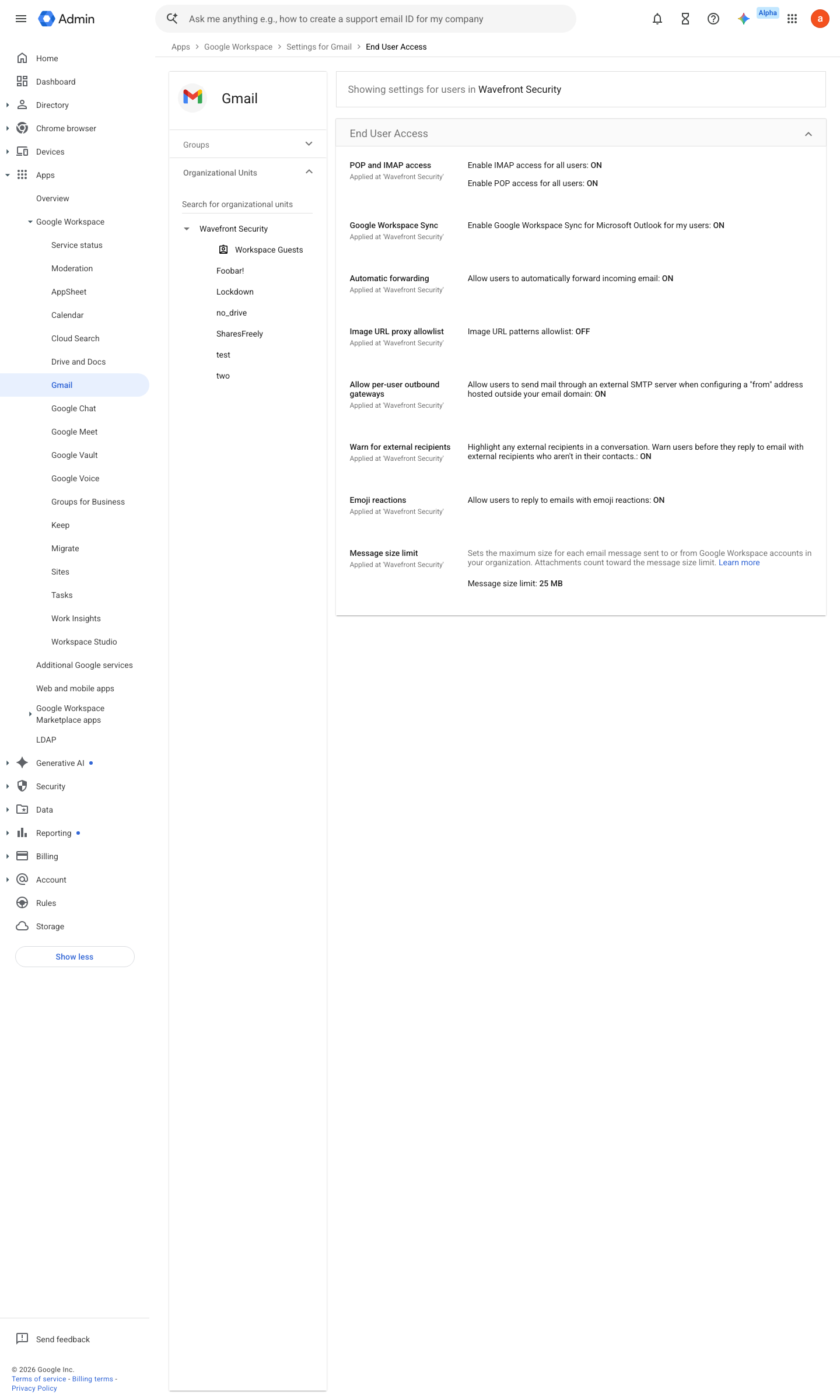
https://admin.google.com/ac/apps/gmail/enduseraccess · captured 2026-07-15
Apps › Google Workspace › Gmail › End User Access- POP and IMAP access
Off- Google Workspace Sync (GWSMO)
Off
Turn POP & IMAP on or off for users ↗ Get ready & install GWSMO ↗
- open ↗
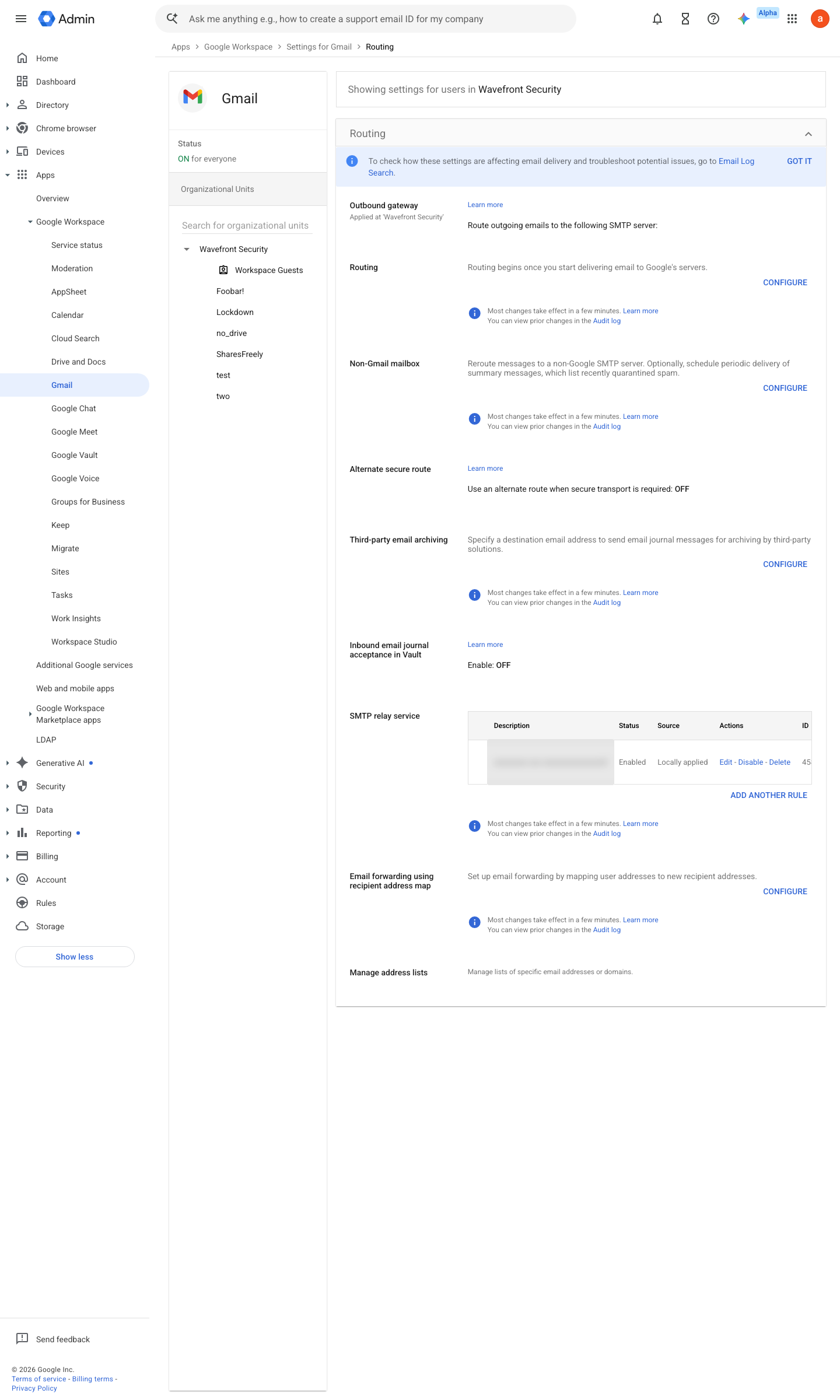
https://admin.google.com/ac/apps/gmail/routing · captured 2026-07-15
Apps › Google Workspace › Gmail › RoutingNo unexplained Routing rules; any legitimate ones documented and watched by the config-drift sentinel (№59)
Add Gmail routing settings ↗ Email routing and delivery options for Google Workspace ↗
Ongoing maintenance
- automatable: script Monthly: re-run both enumerations and diff — a new forward on a finance mailbox is a classic persistence move.
How to verify
-
Enumerate live forwards and delegates tenant-wide — both lists should be empty or match the approved register.
gam all users print forwards
gam all users print delegates
v0.1.3 Prevent policy #27 · #29, #30 ↗