18 Residual mail & service hygiene
The remaining mail and service defaults, all of them free on every edition. Gmail's Safety protections — attachments, links and external images, spoofing and unauthenticated senders — are turned on and set to quarantine rather than a warning banner; the spam-bypass holes (an over-broad approved-senders list, 'bypass spam filters for internal senders') are closed; comprehensive mail storage is turned on so Vault actually sees everything; and unused services such as Google Sites are turned off, because an unused publishing surface inside the tenant is a free phishing host carrying your domain's reputation. The Gmail Security Sandbox (23 Gmail Security Sandbox + safety-toggle verification) adds attachment detonation on top of these toggles, but it is edition-gated and these are not.
Caveats
Setup steps
- open ↗
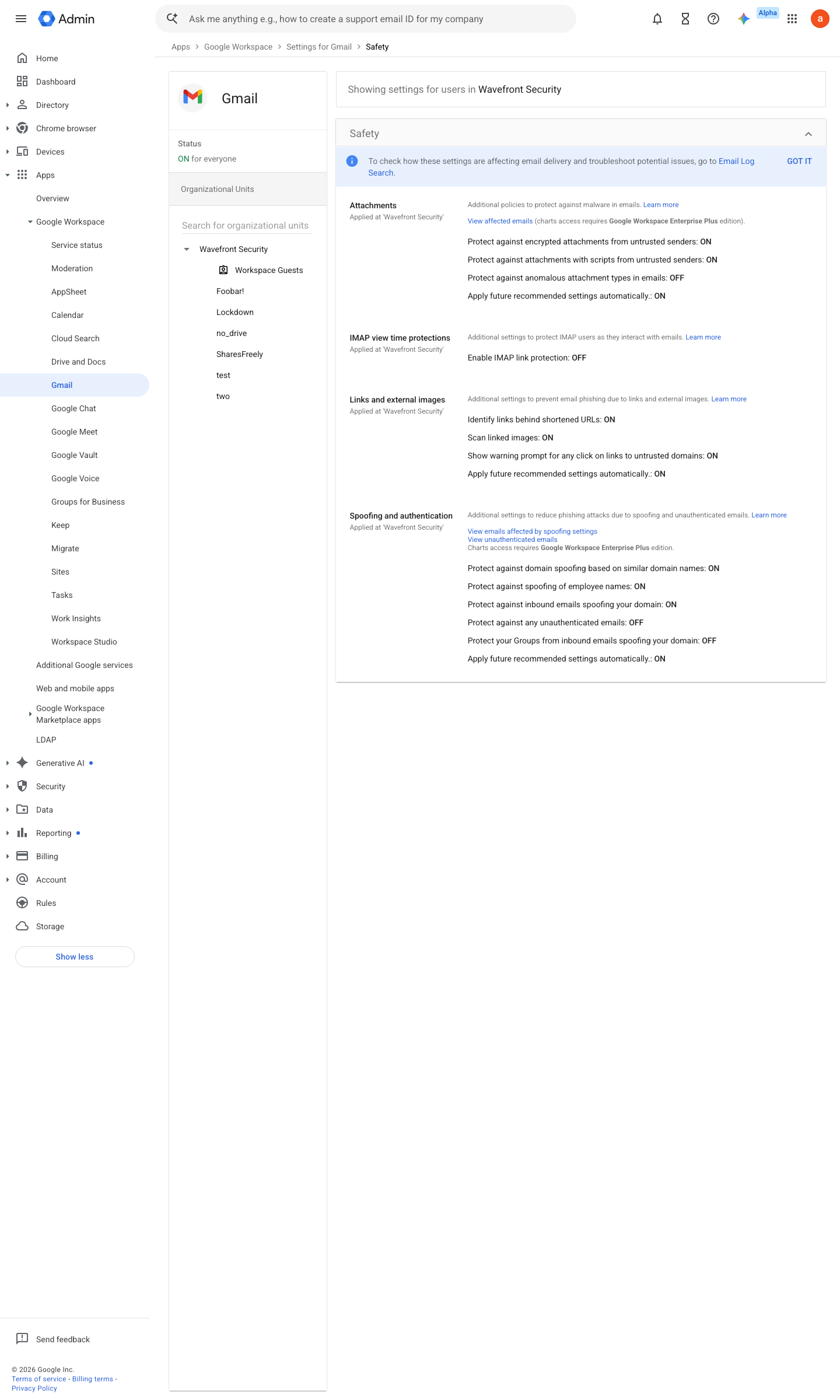
https://admin.google.com/ac/apps/gmail/safety · captured 2026-07-15
Apps › Google Workspace › Gmail › Safety- Attachments (encrypted, scripts, anomalous)
On + Quarantine- Links and external images
all On- Spoofing and authentication
all On (incl. 'Protect against domain spoofing based on similar domain names' and 'Protect against any unauthenticated emails')
- open ↗
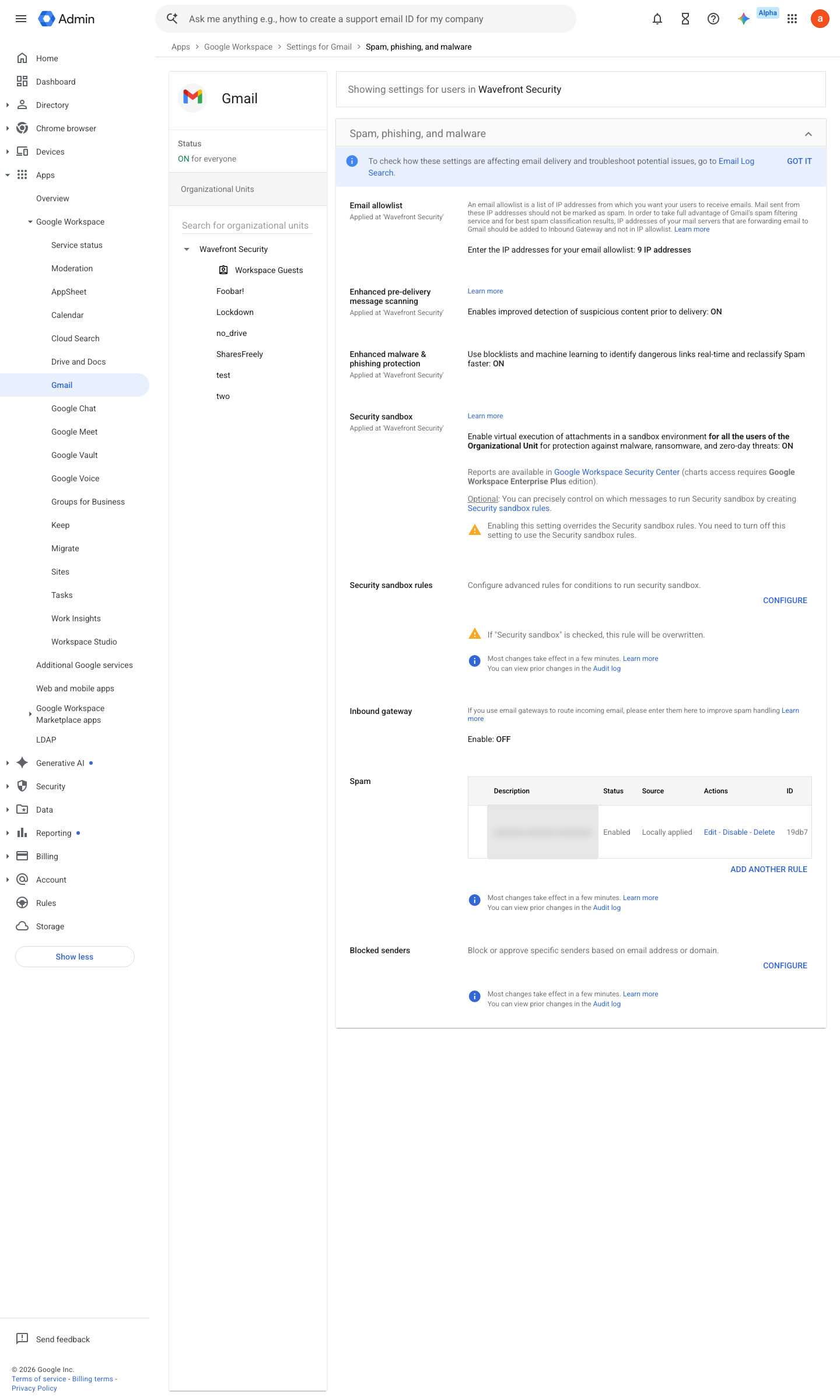
https://admin.google.com/ac/apps/gmail/spam · captured 2026-07-15
Apps › Google Workspace › Gmail › Spam, phishing and malware- Bypass spam filters for internal senders
Off- approved-sender lists
empty or narrowly justified- Enhanced pre-delivery message scanning
On
Add custom spam filters to Gmail ↗ Help prevent phishing with pre-delivery message scanning ↗
- open ↗
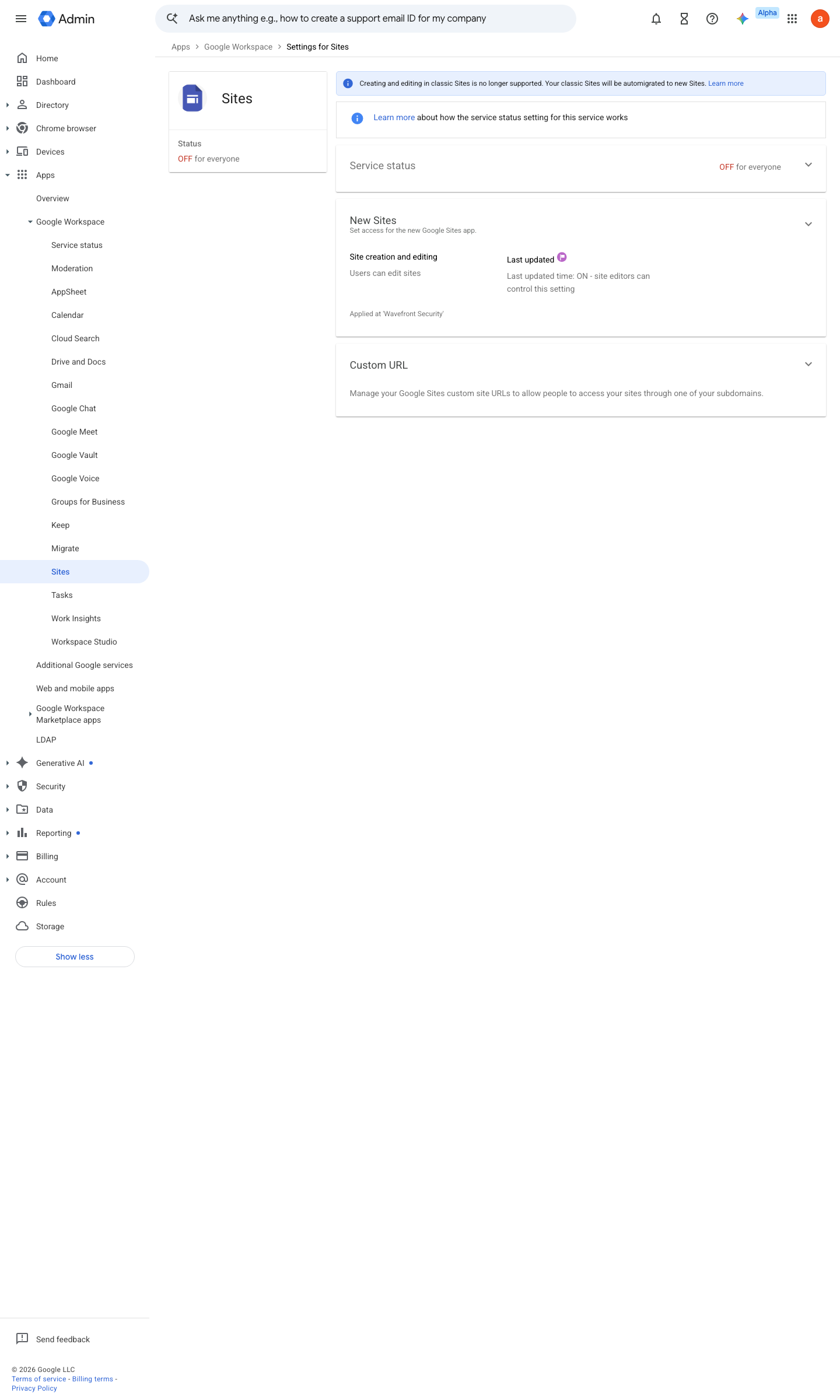
https://admin.google.com/ac/managedsettings/142495531730 · captured 2026-07-15
Apps › Google Workspace › Sites › Service status- Sites service status
Off for everyone
- open ↗
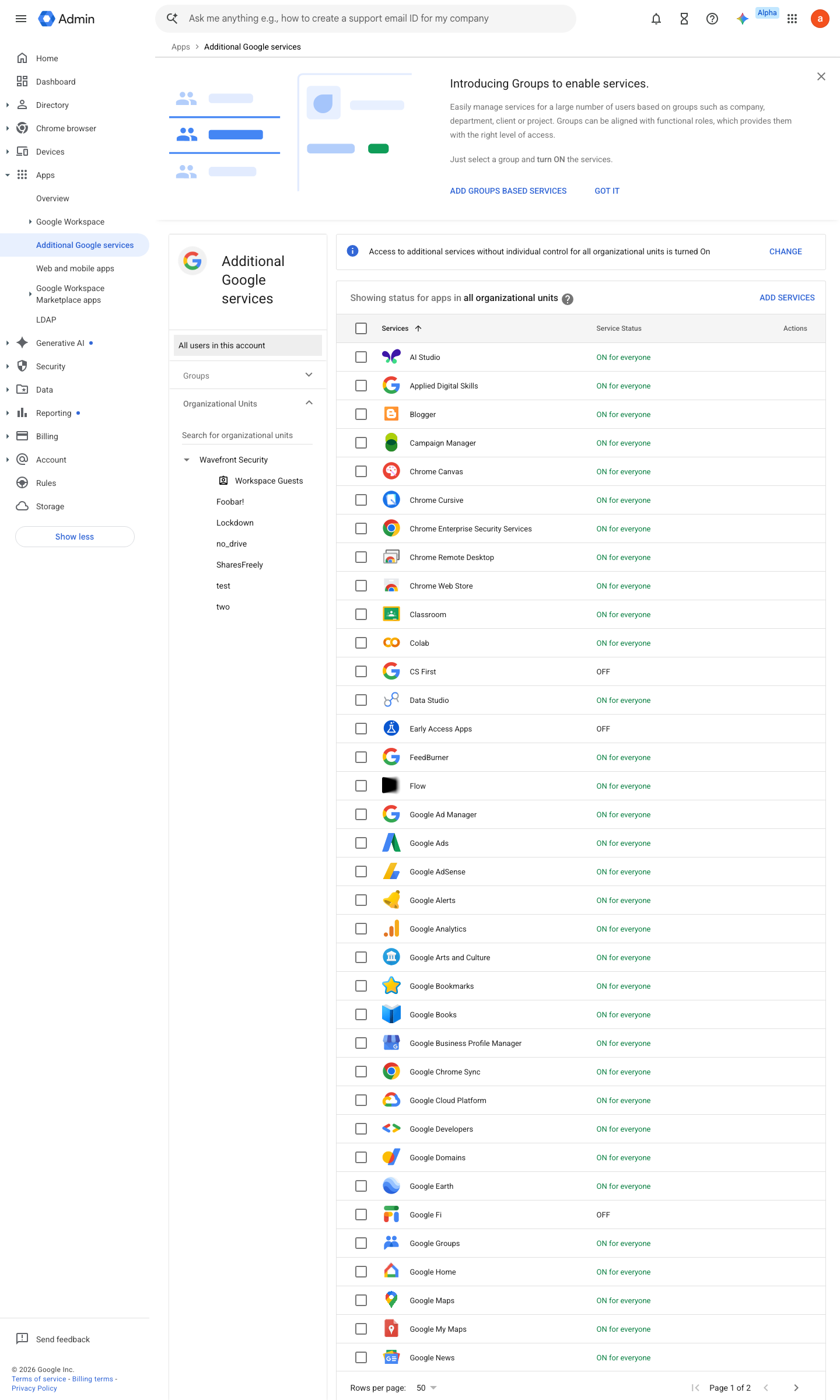
https://admin.google.com/ac/appslist/additional · captured 2026-07-15
Apps › Additional Google services- Unused additional services
Off
- open ↗
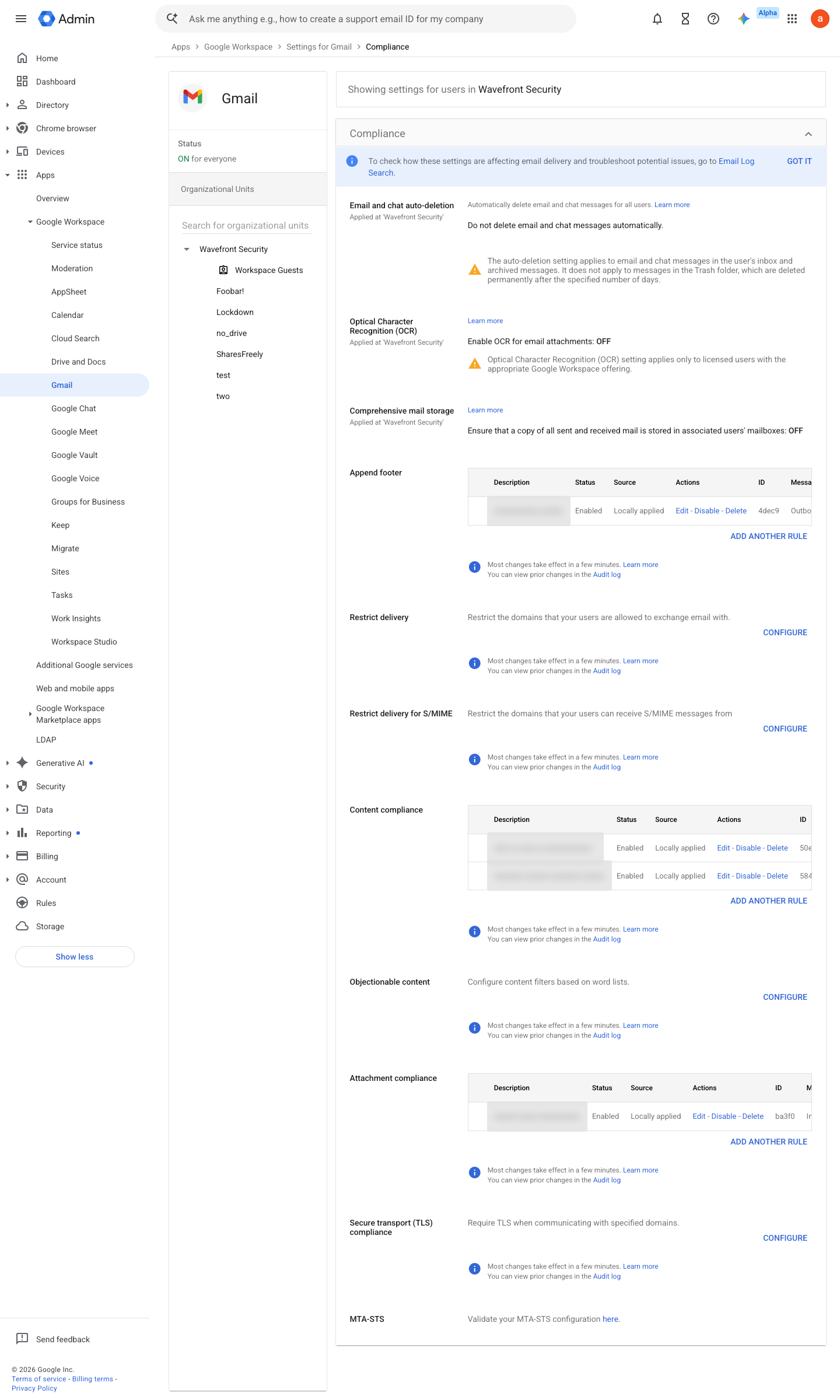
https://admin.google.com/ac/apps/gmail/compliance · captured 2026-07-15
Apps › Google Workspace › Gmail › Compliance- Comprehensive mail storage
On
How to verify
-
Walk the four hygiene screens and confirm each setting matches the control; there is no user-visible surface to probe.
v0.1.3 Assure policy #27 · #18 ↗