20 SSO/SAML to hardened IdP
Hands Workspace sign-in to an external identity provider over SAML or OIDC, so authentication policy — and its logging — lives in one place across all your SaaS. The break-glass admin (19 Break-glass admin + offline backup codes) stays on Google authentication as the fallback, and super admins always authenticate directly with Google — a fixed property of the newer SSO profiles (legacy SSO profiles can still let super admins sign in via SSO).
Documentation: About SSO ↗
Caveats
Setup steps
- open ↗
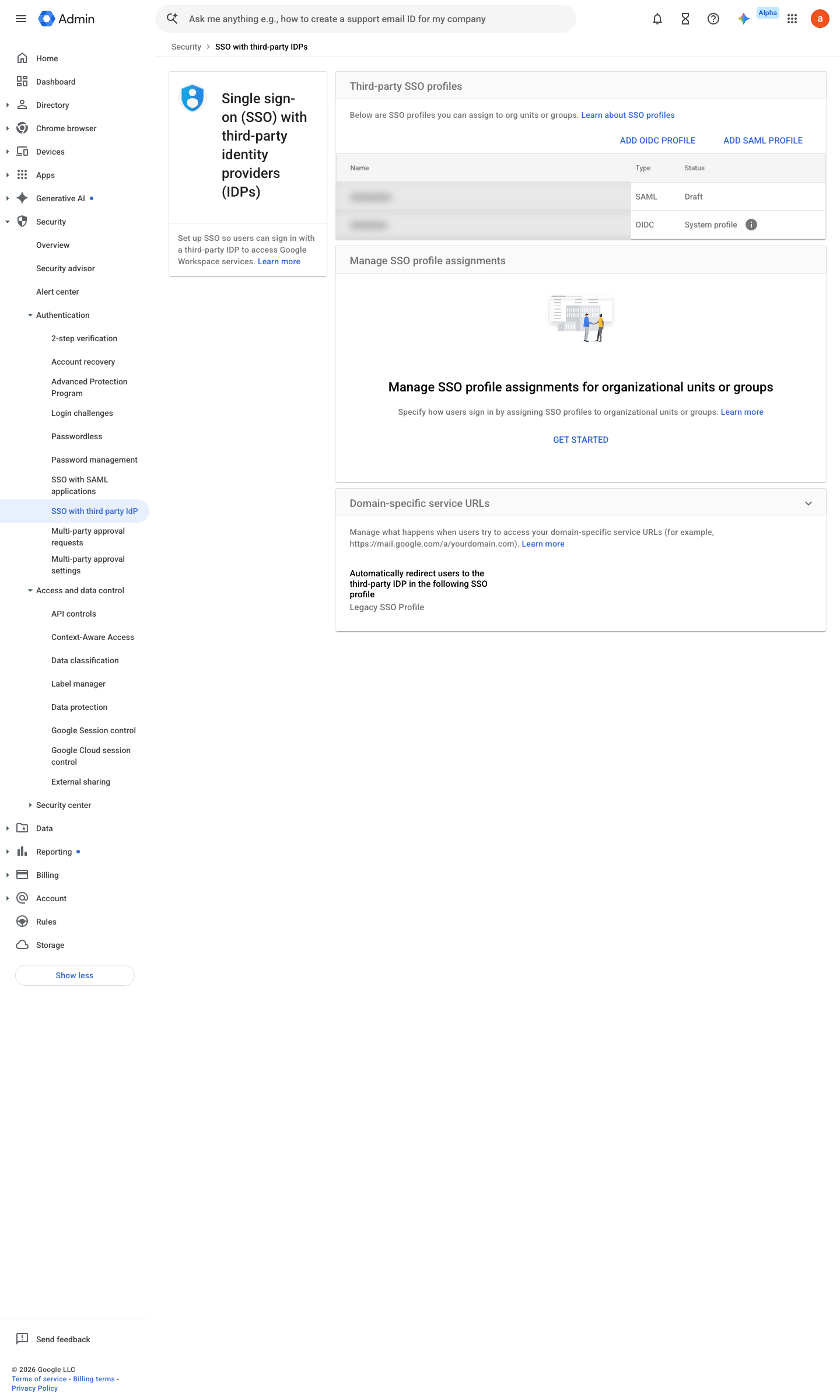
https://admin.google.com/ac/security/sso · captured 2026-07-15
Security › Authentication › SSO with third-party IdPSSO profile = <IdP name>; IdP entity ID, Sign-in page URL, Sign-out page URL, Change password URL, Certificate uploaded (up to two)
-
Security › Authentication › SSO with third-party IdP › Manage SSO profile assignments- OU <staff>
<IdP profile>- OU <break-glass>
None (Google authentication)
-
Security › Authentication › SSO with third-party IdPSuper admins = Google sign-in (fixed behaviour of the newer SSO profiles; not guaranteed on the legacy profile); Google-side 2SV enforced for the admin OU
- open ↗
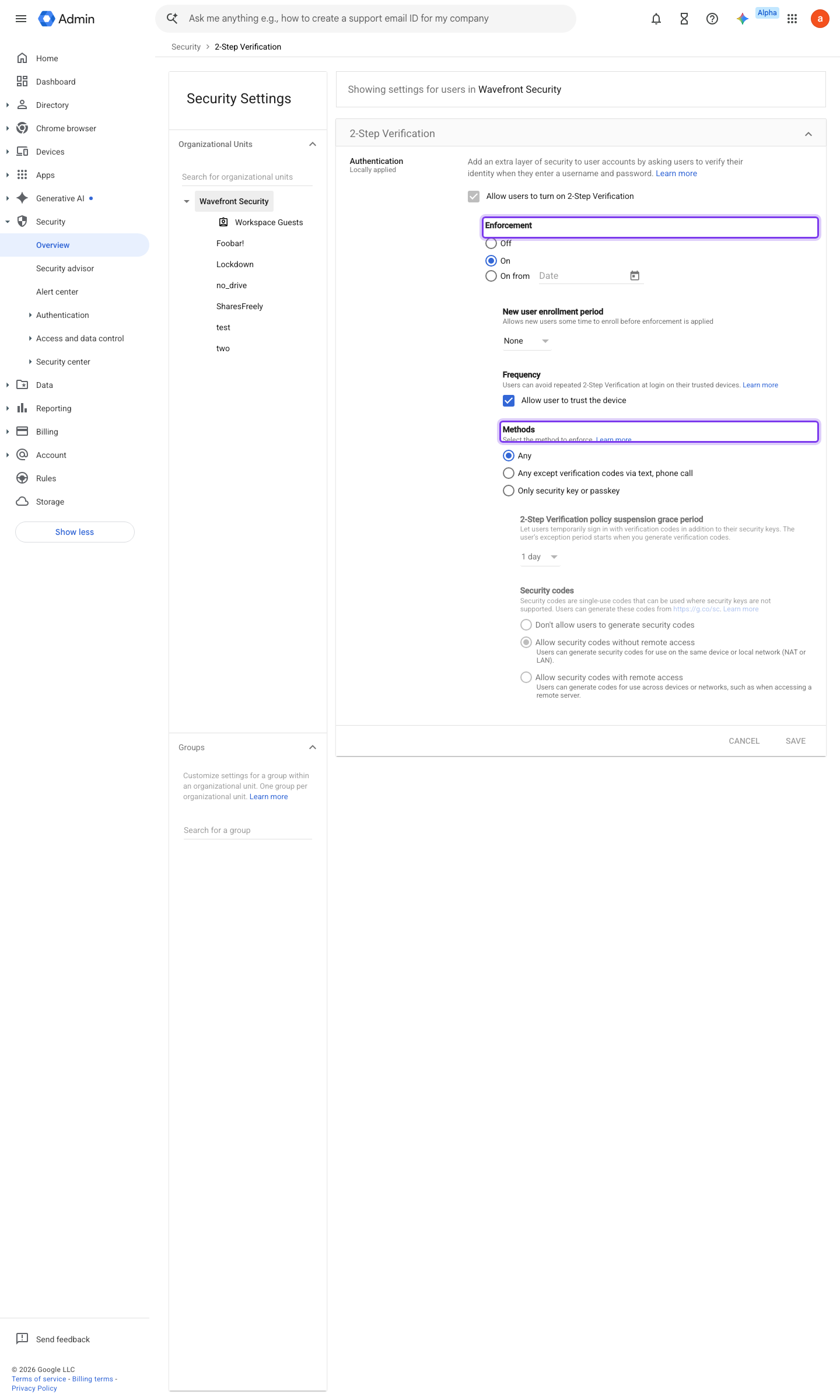
https://admin.google.com/ac/security/2sv · captured 2026-07-15
Security › Authentication › 2-Step Verification- 2SV enforcement
On for all non-federated OUs
Deploy 2-Step Verification ↗ How 2-Step Verification works with third-party IdPs ↗
Ongoing maintenance
- automatable: script Before IdP certificate expiry: rotate the certificate in the SSO profile (watch the expiry date with a scheduled check).
How to verify
-
Sign in as a federated test user — the login must redirect to the IdP. Then sign in as the break-glass account — it must NOT redirect and must accept Google credentials.
v0.1.3 Prevent edition All (+IdP) policy #8 · #3 ↗