33 Disable POP/IMAP / app-specific passwords
draft
POP, IMAP and app-specific passwords predate 2SV and do not honour it. Since Google's less-secure-apps turndown (March 2025) the account password itself no longer works over POP/IMAP for third-party apps — the remaining password-only path through them is an app password. An app password in particular is a full-mailbox credential a user can mint for themselves, and it is the exact bypass used to defeat 2SV in the UNC6293 campaign. Closing these paths — together with the auto-forwarding and delegation settings that share this screen (№17) — is what makes 2SV enforcement actually binding.
Caveats
Setup steps
- open ↗
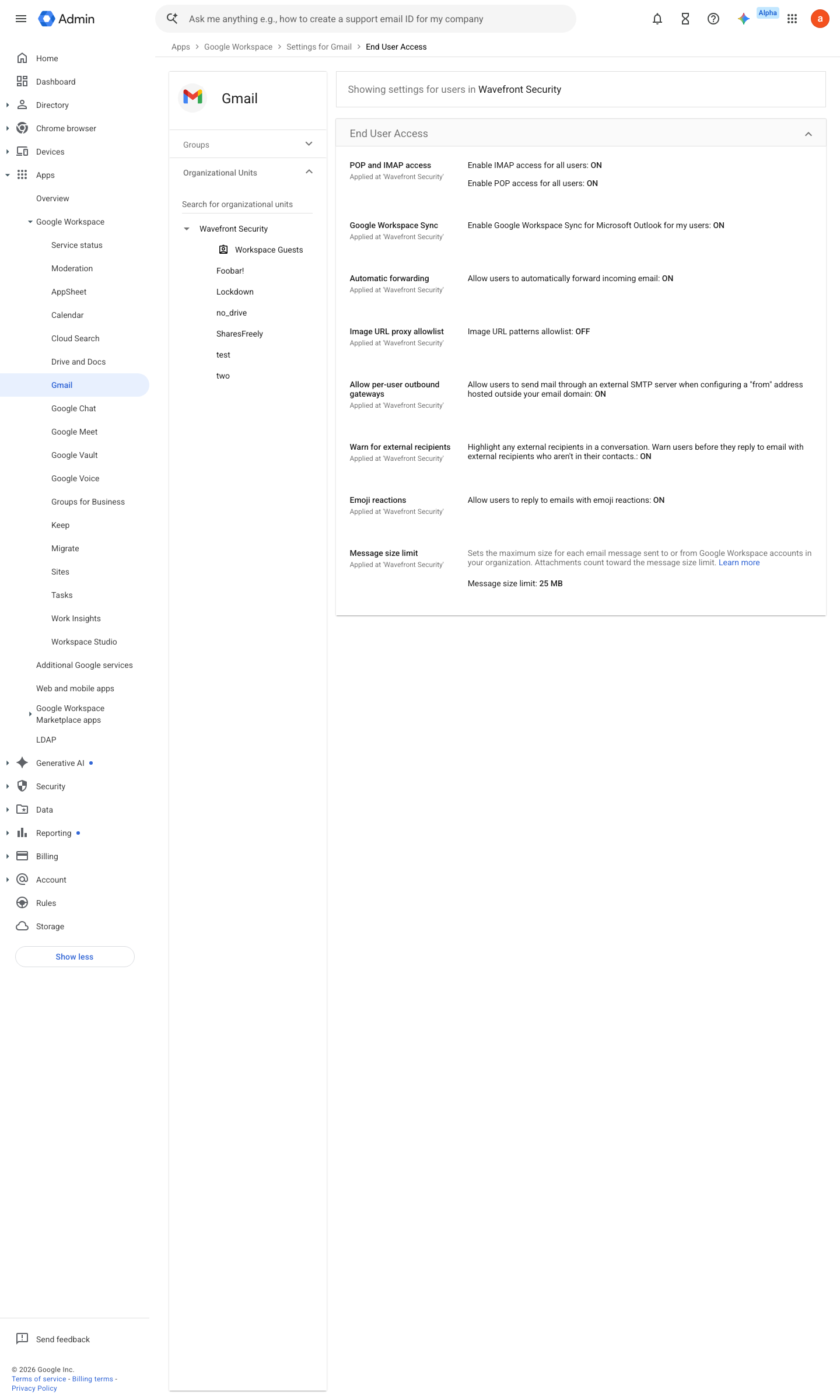
https://admin.google.com/ac/apps/gmail/enduseraccess · captured 2026-07-15
Apps › Google Workspace › Gmail › End User Access- POP and IMAP access
uncheck 'Enable POP access for all users' and 'Enable IMAP access for all users' (IMAP can instead be restricted to OAuth mail clients only)
- open ↗
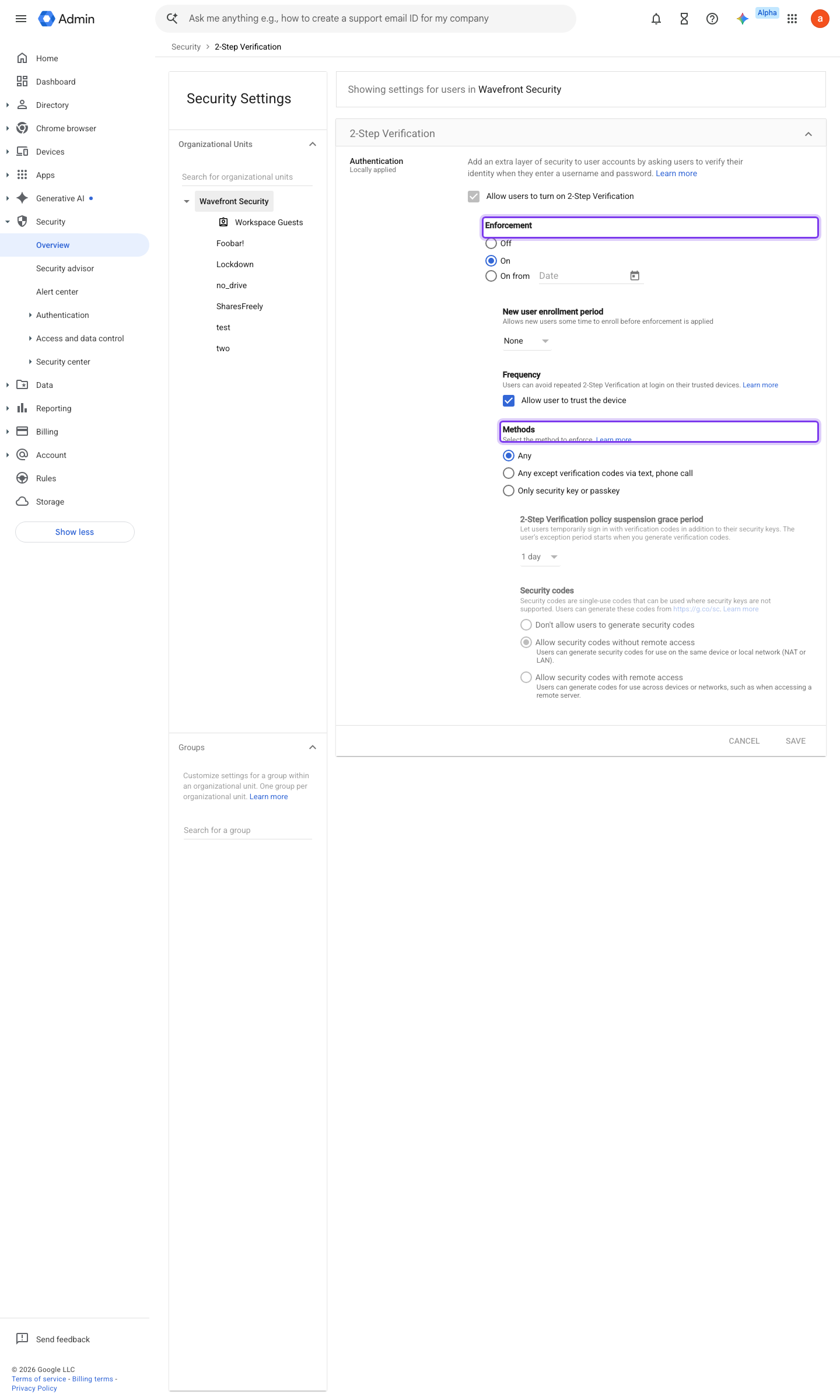
https://admin.google.com/ac/security/2sv · captured 2026-07-15
Security › Authentication › 2-Step Verification- Allow users to generate app passwords
Do not allow
-
Directory > Users > (user) > Security > App passwords > Revoke each — or enumerate tenant-wide with GAM: gam all users show asps, then gam user <email> delete asps all
-
Apps › Google Workspace › Gmail › End User AccessAllow users to automatically forward email to another address = unchecked (mail delegation: №17)
-
- Exception list
documented, time-boxed, in a separate OU
Transition from less secure apps to OAuth ↗ Route outgoing SMTP relay messages through Google ↗
Ongoing maintenance
- automatable: script Monthly: re-run the ASP enumeration — a non-empty result means the policy regressed or an OU escaped it.
How to verify
-
App passwords are the loudest legacy hole — enumerate them tenant-wide; the list should be empty.
gam all users print asps -
From a test account, try enabling IMAP in Gmail settings — the option should be absent or greyed out.
draft v0.1.4 Prevent policy #27 · #8 ↗