12 Web session-length control
A Workspace web session lasts 14 days by default, and the session cookie is a complete credential for whatever remains of that window — no password, no second factor. This setting caps the window per OU and sets what re-authentication costs when it lapses. On macOS, where device-bound session credentials (№10) do not apply, it is the primary mitigation for cookie theft: its whole value is the ceiling it puts on how long a stolen cookie is worth stealing.
Documentation: Set session length for Google services ↗
Caveats
Setup steps
- open ↗
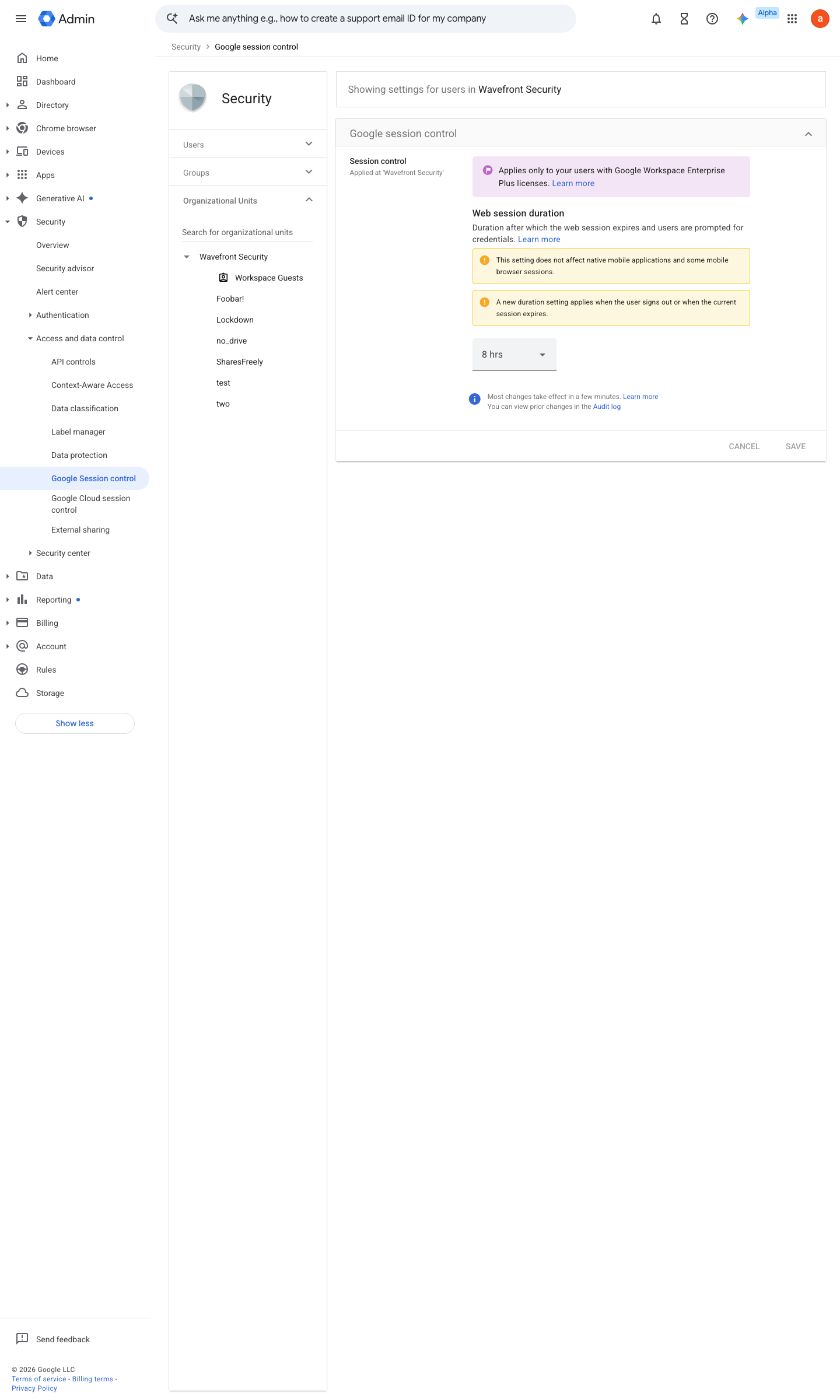
https://admin.google.com/ac/managedsettings/352555445522/sessionmanagementsettings · captured 2026-07-15
Security › Access and data control › Google session controlWeb session duration = 8 hours for admin/high-risk OUs; 1–7 days for general staff (default is 14 days)
- open ↗
https://admin.google.com/ac/sc/investigation · captured 2026-07-15
Security › Access and data control › Google session control- Web session duration
the chosen ceiling (re-auth method: №38)
-
Security › Access and data control › Google session controlDirectory > Users > (user) > Security > Sign-in cookies > Reset — or GAM `gam user <x> signout`
How to verify
-
Confirm the session-length policy on the OU in the console, then leave a test session idle past the ceiling and confirm it demands re-authentication.
v0.1.3 Prevent policy #3 · #29 ↗